GPX Map 3D for Mac
Plan, edit and animate hikes on 3D terrain. Native macOS — free, signed, notarized.
Everything the web version does — sharper, faster, native.
The browser version is already a complete tool. The Mac app adds what only a native binary can offer: real Metal acceleration, system-wide GPX file association, force-touch haptics on compatible trackpads, and a smooth experience even on long multi-day treks.
Metal-accelerated 3D
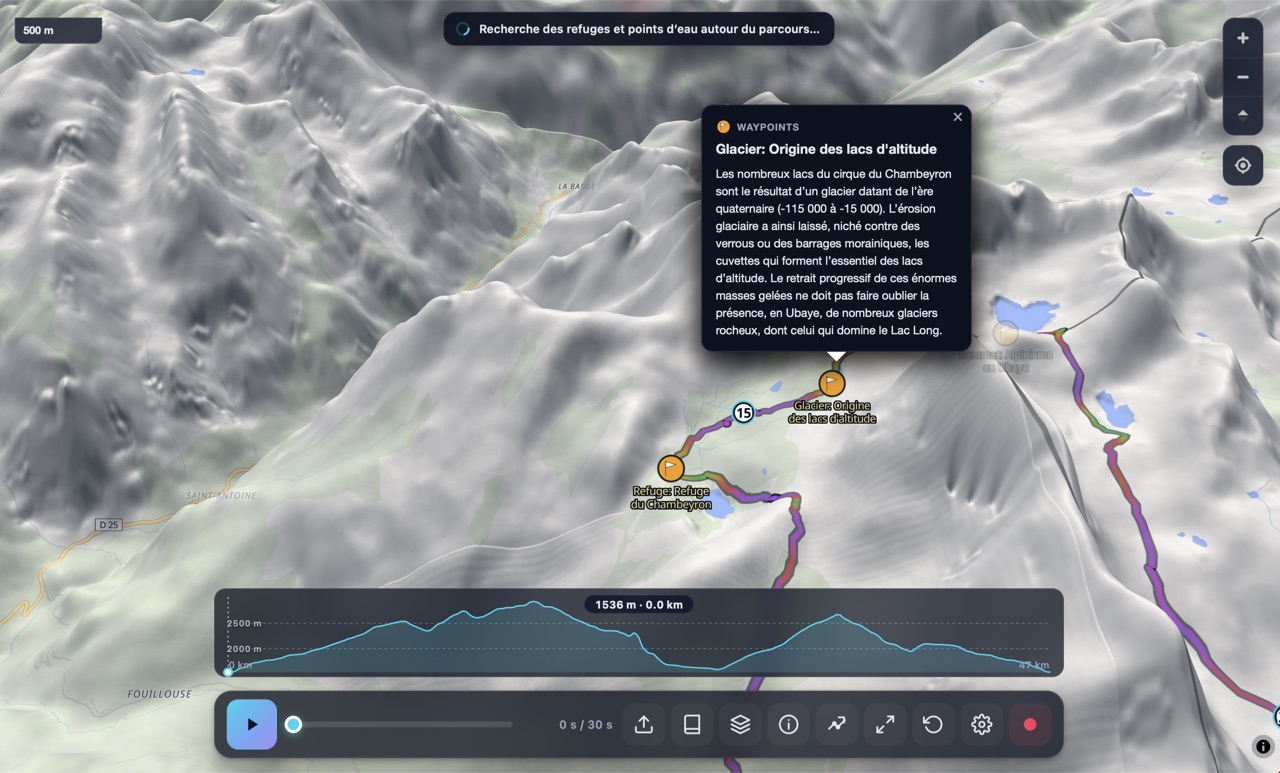
Native WKWebView with Metal — the 3D terrain renders smoothly even at high pitch on long routes.
System file integration
Double-click any .gpx in Finder to open it in GPX Map 3D — no drag-and-drop dance required.
Force Touch haptics
Macs with a Force Touch trackpad get a subtle tactile cue when a waypoint snaps to the route.
Signed & notarized
Signed with our Apple Developer ID and notarized by Apple — opens with one click on any Mac.
Works fully offline
Once installed, the app launches and runs without an internet connection. Pre-cache tiles for a trek and you're set.
100% free, forever
No premium tier, no time-locked trial. The whole app is yours, with every feature unlocked.
What it looks like.
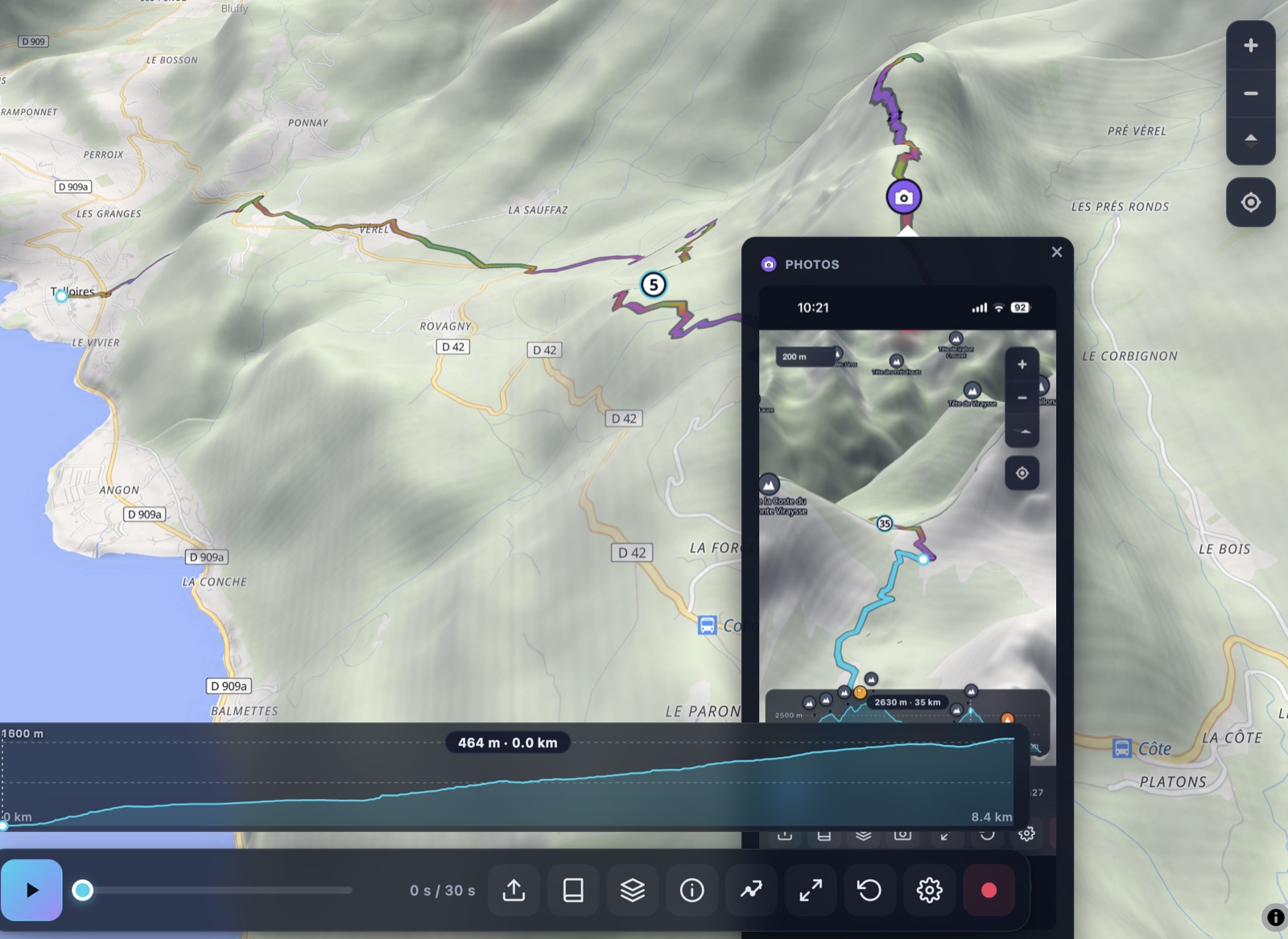
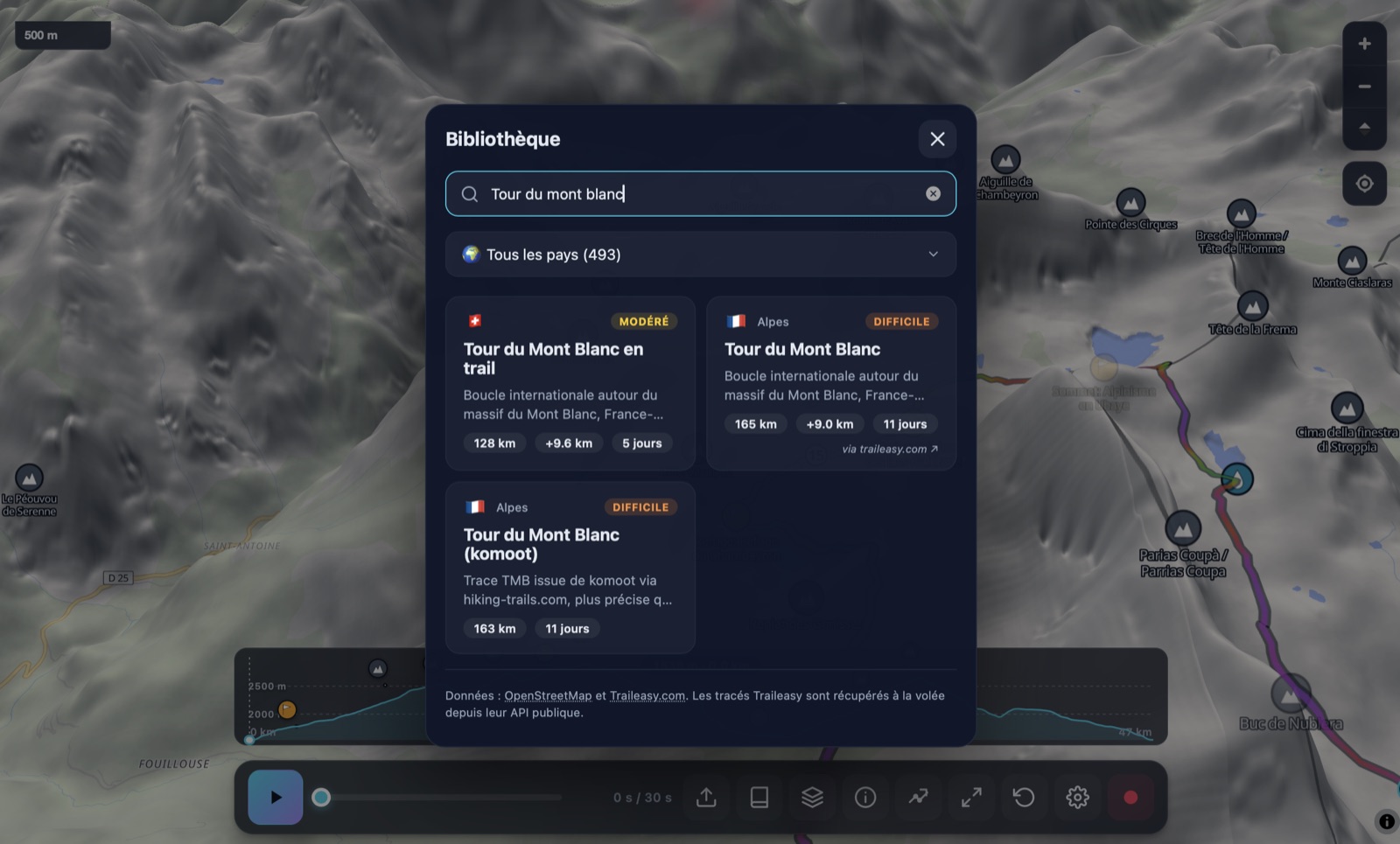
Built for hikers who want every detail.
Plan a route from scratch
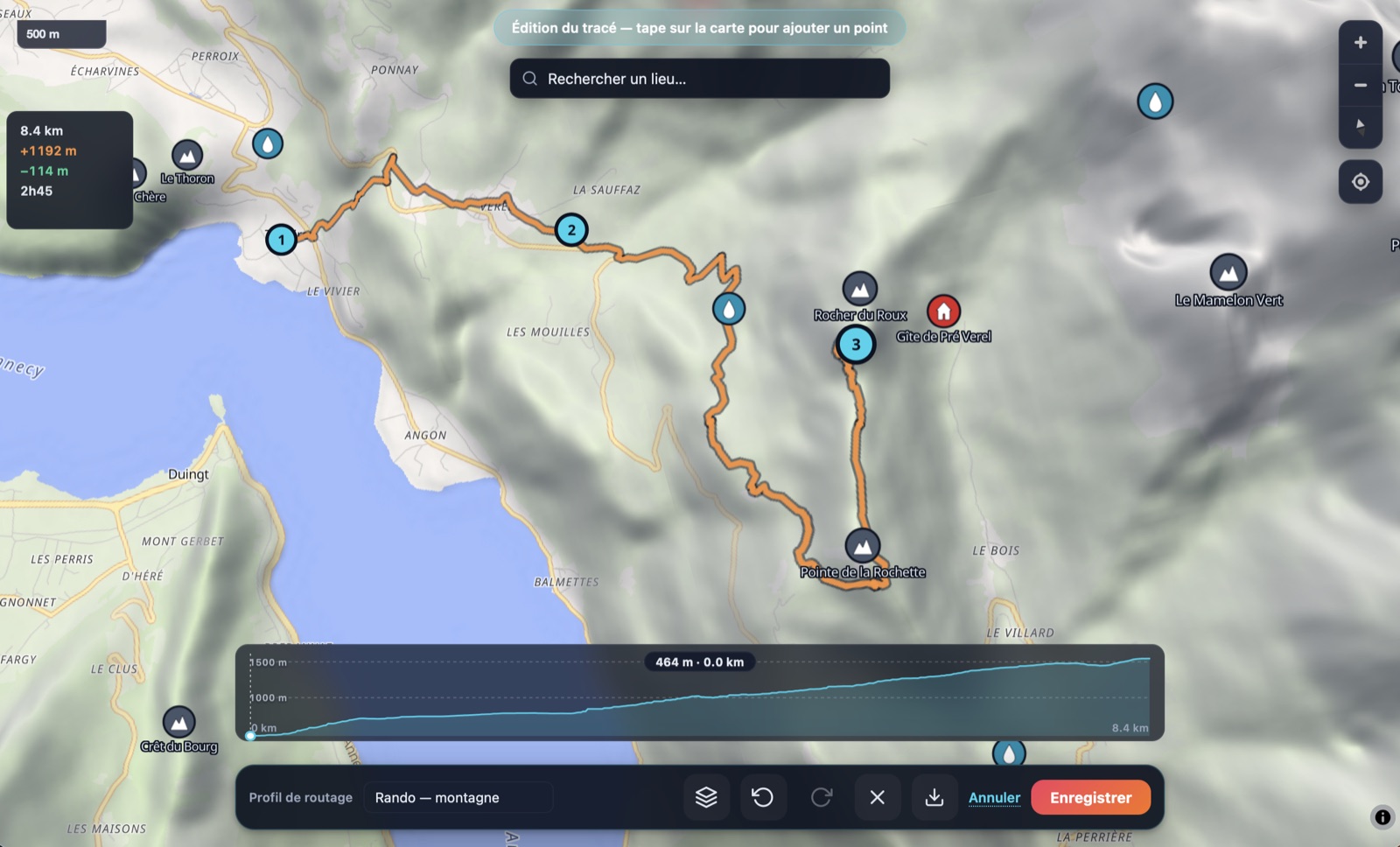
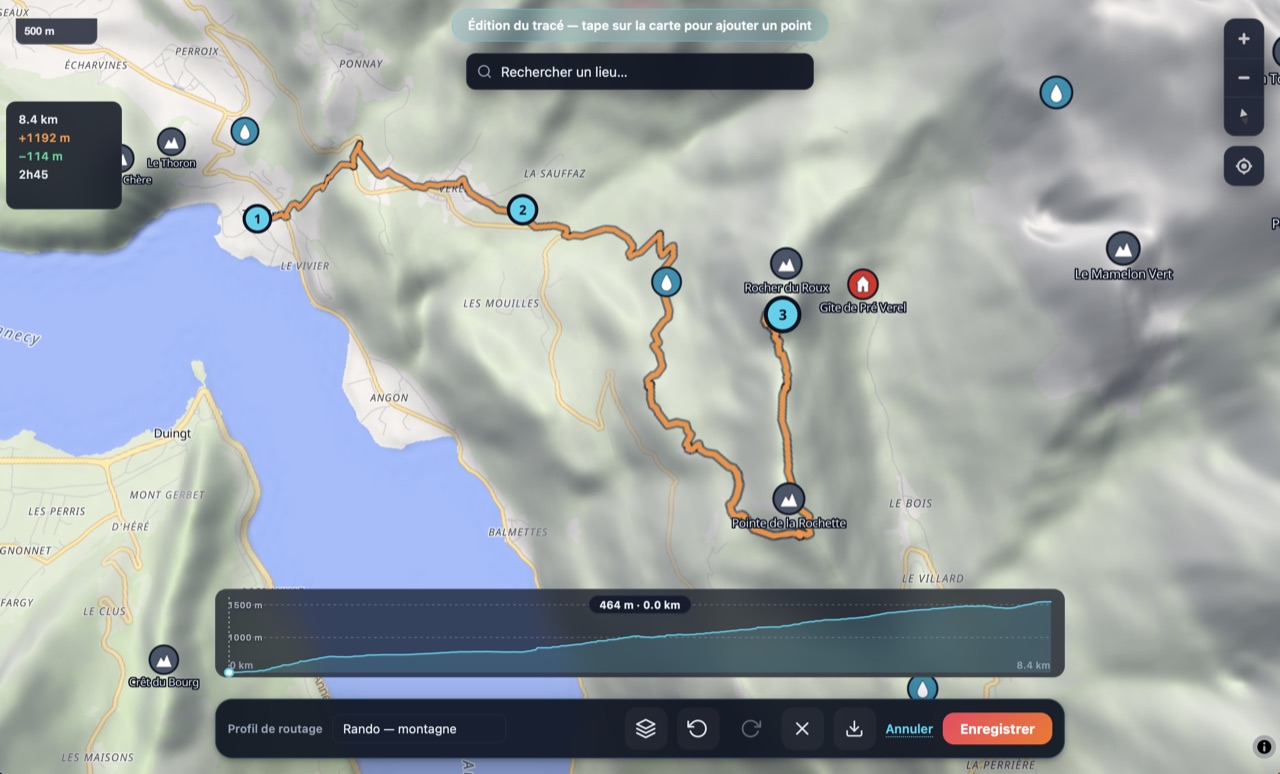
Tap on the map to drop a waypoint; BRouter (hiking-mountain profile) automatically routes between waypoints along real trails and paths. Drag any waypoint to reshape. Tap a segment line to insert a new waypoint between two existing ones.
- Live elevation profile + Munter time as you draw
- Place-search autocomplete (Photon) — jump to "Annecy", "Mont Blanc", "Refuge du Goûter"
- Close a loop by tapping the first waypoint
- Direct .gpx download — drop into Garmin, Strava, Komoot
Cinematic 3D playback
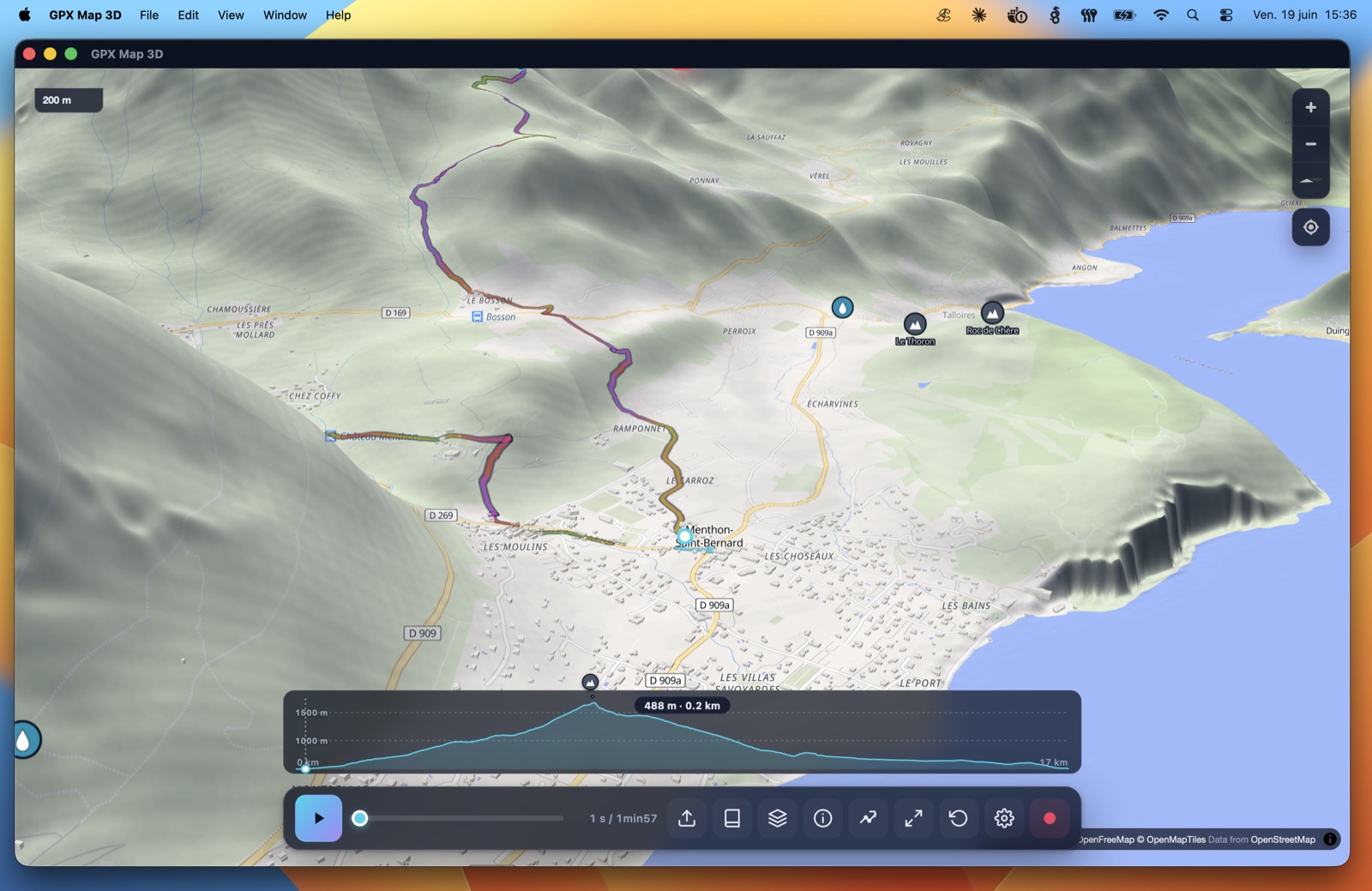
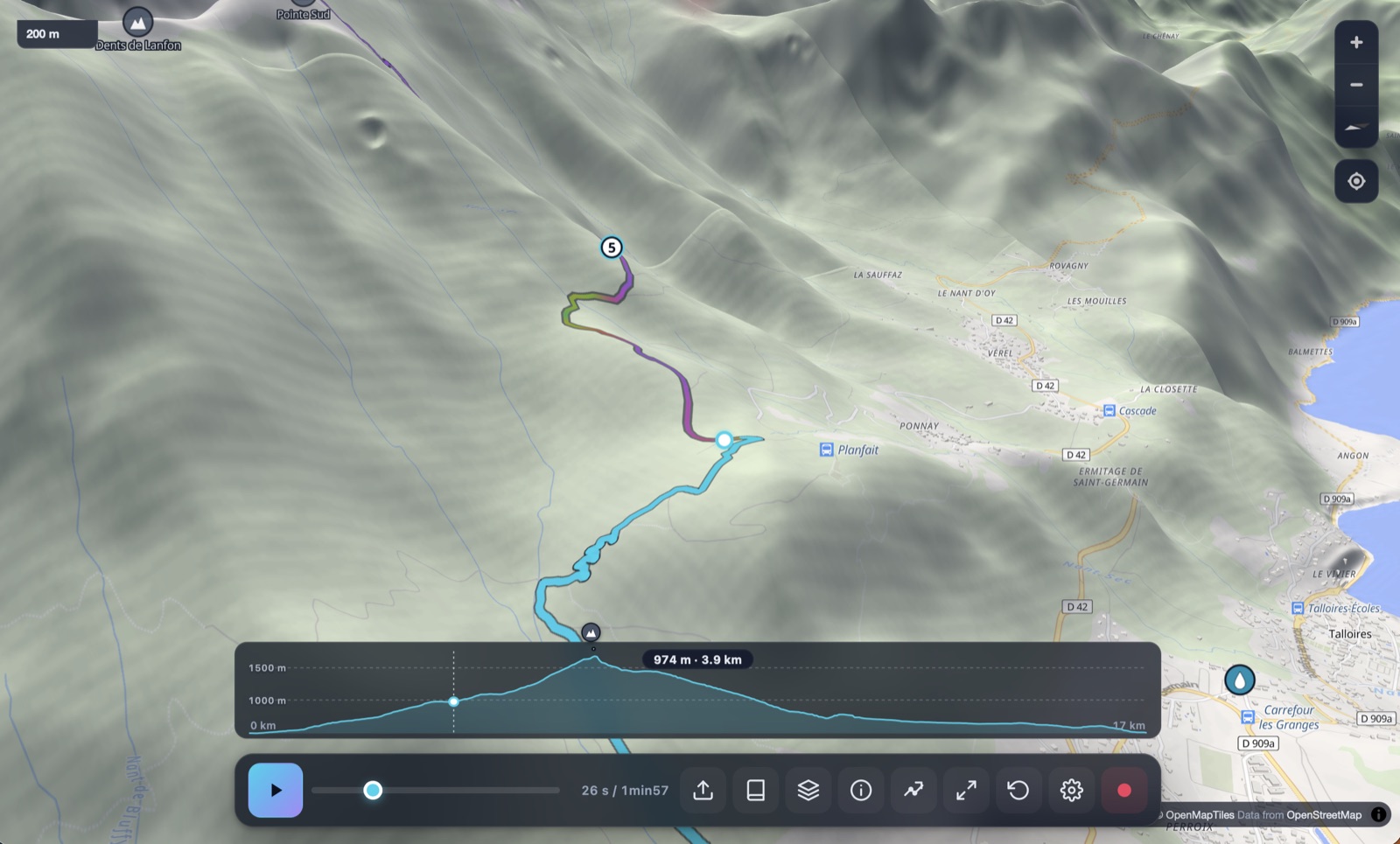
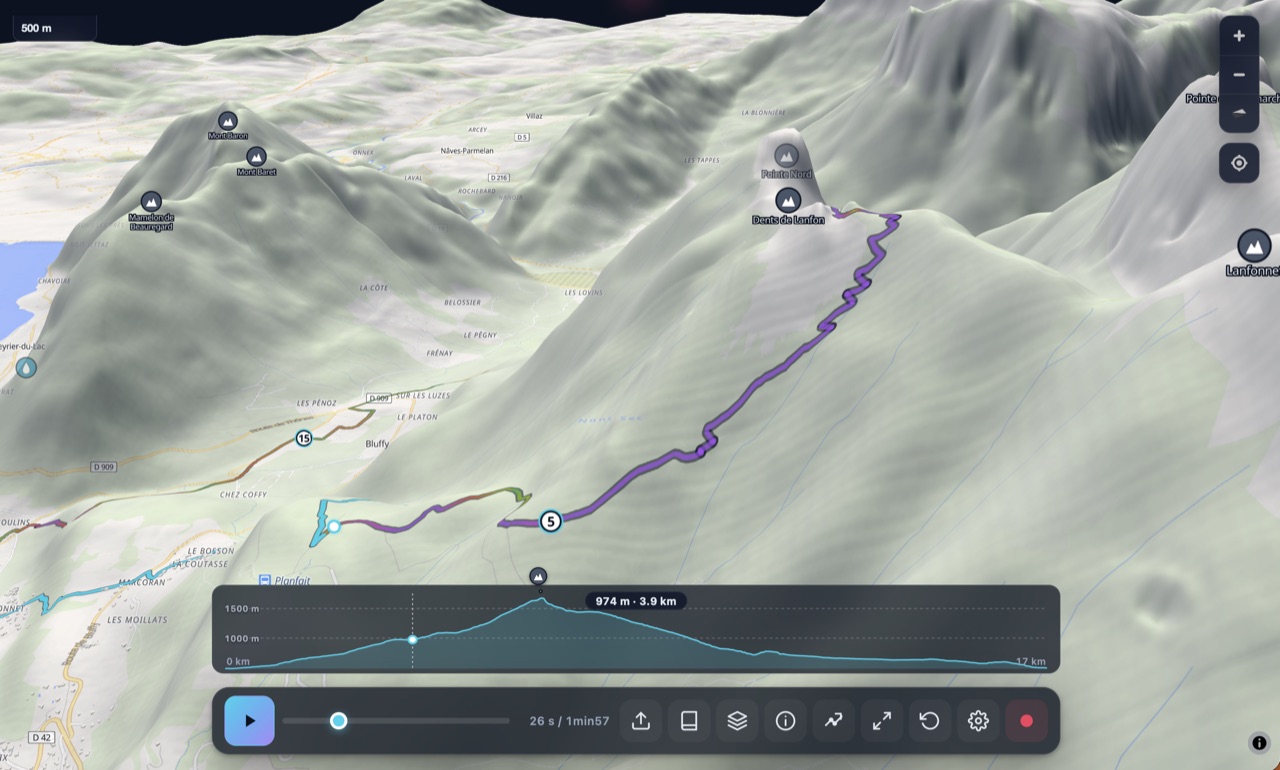
Watch your GPX fly across a real 3D terrain map with an animated chase camera. Adjust pitch, exaggeration, follow mode (chase / top-down / side) and speed. Cinema mode hides the UI for a Photos.app-style immersive view.
- Real elevation from AWS Open Data DEM
- Three follow modes — chase, top-down, side
- Cinema mode — press F to hide all chrome
- Press play and let it run — autonomous fly-through
Edit any existing GPX
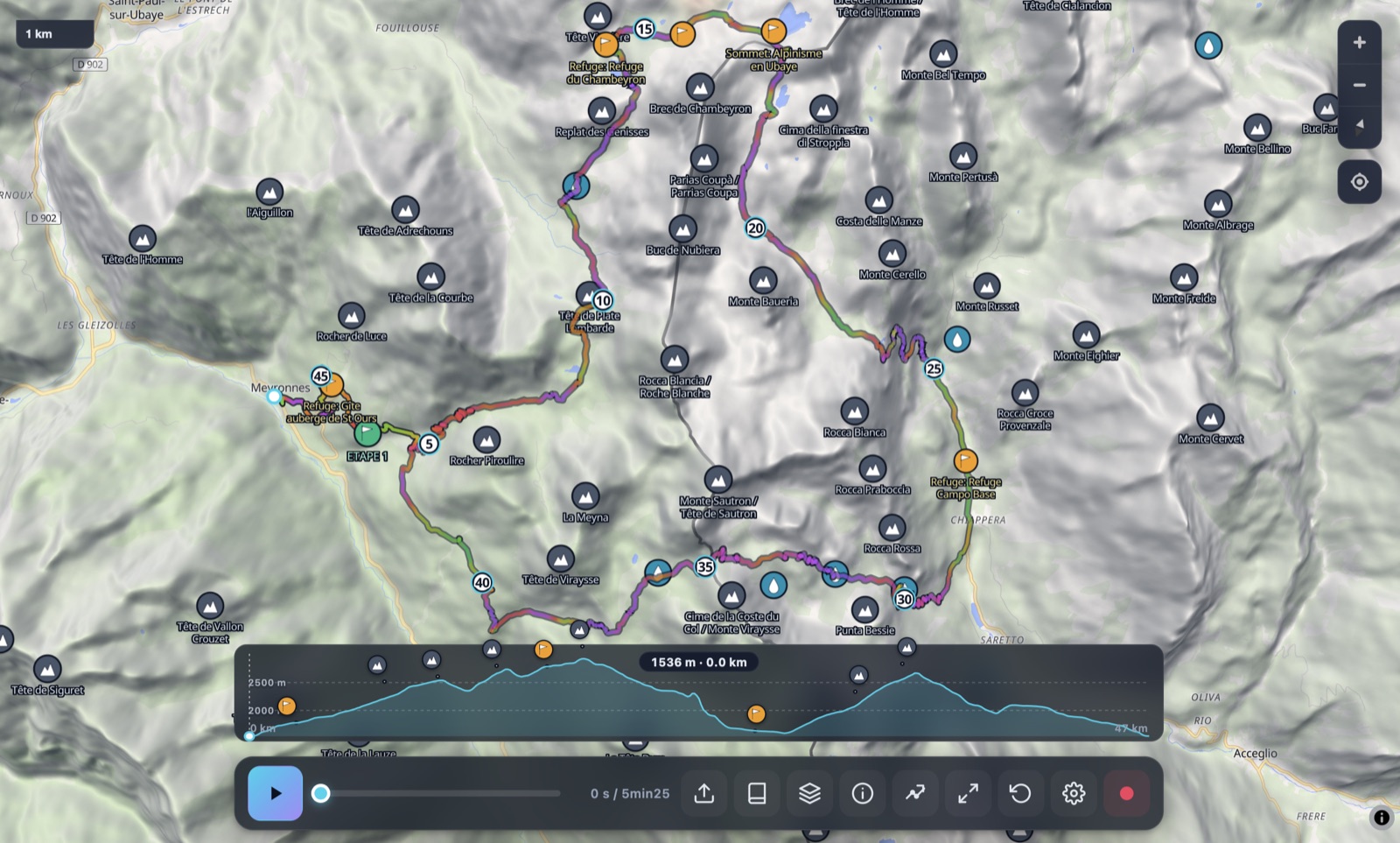
Drop an existing .gpx and switch to edit mode. The track is subsampled (Ramer-Douglas-Peucker) into ~30 editable waypoints; BRouter re-routes between them. Drag, insert, delete, extend a side-trip or remove a stale section. Save as a clean .gpx or as a .gxm bundle (with photos and annotations).
- Smart subsampling preserves the shape
- Drag a waypoint to reshape a section
- Click between two waypoints to insert one
- Annotate (name, description, photo) — exported as <wpt>
Everything stays on your Mac
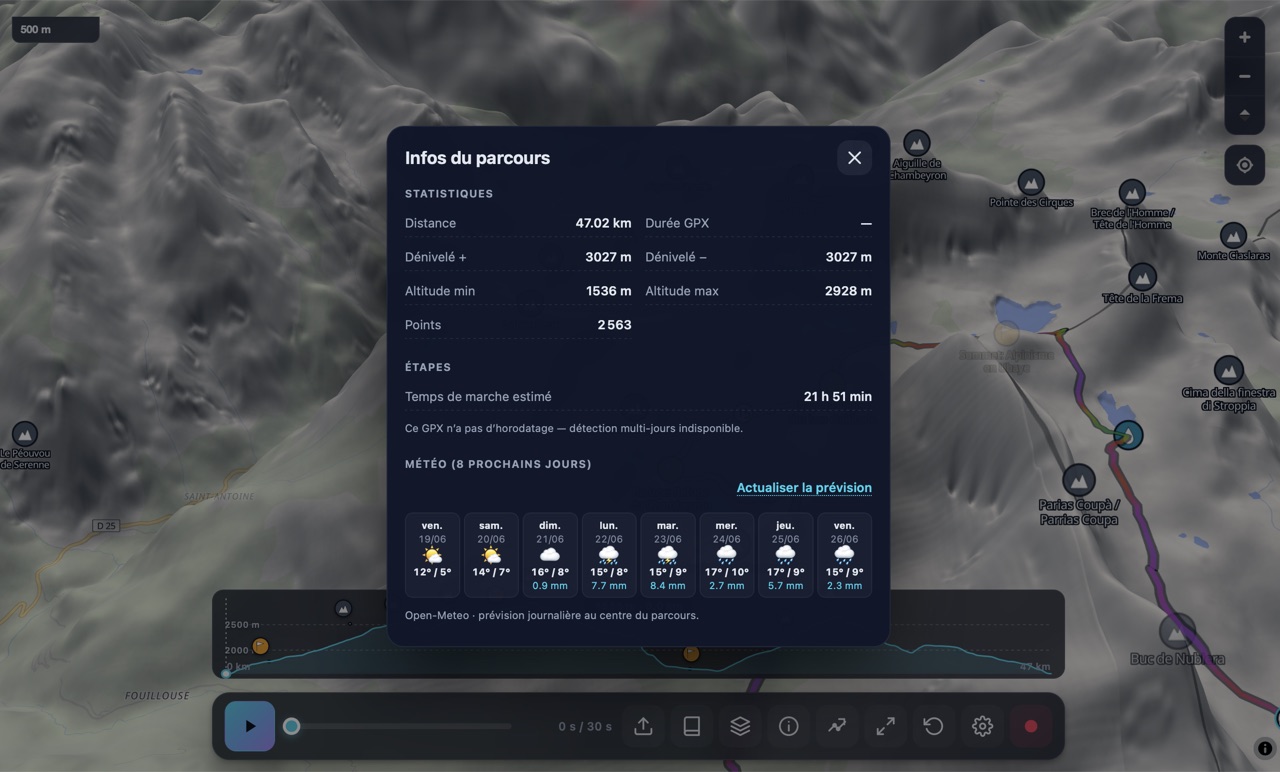
The app runs entirely on your machine. Your GPX files, photos, and route plans never leave your device — there is no upload, no cloud sync, no account, no telemetry. Even the optional weather forecast is fetched anonymously without any identifying info.
- No login. Ever.
- No analytics, no tracking
- All persistence is local (Application Support)
- Open source mindset, transparent dependencies
The technical detail.
The developer collects no data.
No tracking. No accounts. No upload.
GPX Map 3D does not collect any personal data, does not require an account, and does not transmit your tracks, photos, or annotations to any server. The only network calls are direct fetches of public map data (OpenFreeMap, AWS terrain tiles, Overpass POIs, Open-Meteo weather, BRouter routing) — none of which identify you.
- No analytics
- No telemetry
- No cookies
- No account or sign-up
- No ads
- No third-party SDKs
- All GPX data stays local
- All photos stay local (IndexedDB)
Frequently asked.
Will the app work on my Mac?
The Mac app requires macOS 11 (Big Sur) or later and an Apple Silicon chip (M1, M2, M3, M4). If you have an Intel Mac, the browser version at www.gpxmap3d.com runs the exact same code with no install needed.
Will I see "GPX Map 3D is damaged"?
No. The app is signed with our Apple Developer ID and notarized by Apple. It opens with a single click on any Mac, no right-click → Open dance, no Terminal command. If you do see a Gatekeeper warning, the DMG download was corrupted — re-download and try again.
Is it really free?
Yes, completely free. No trial, no premium tier, no in-app purchases. Every feature is available to everyone at no cost. We pay the $99/year Apple Developer fee out of pocket so you don't have to.
How do I install it?
Click the Download button at the top of this page, open the downloaded .dmg, and drag the GPX Map 3D icon into your Applications folder. Done — launch it from Spotlight or Launchpad.
What's the difference between the Mac app and the browser version?
Same features, same code. The Mac app adds: native Finder file association (double-click any .gpx to open it), force-touch haptics on supported trackpads, true Metal-accelerated rendering, and the ability to launch offline (the browser version needs a one-time online visit to cache itself first).
Will I get updates automatically?
Not yet — for now, download the latest DMG from this page whenever a new version ships. Auto-update via the Tauri updater is planned for v0.2.
Does it work offline?
Yes. The app code runs entirely on your Mac. The 3D map tiles require an internet connection by default, but you can pre-cache the tiles for a specific track's bounding box from the Offline section in Settings — afterwards the whole experience runs offline.
Where does the app store my data?
Preferences are in ~/Library/Preferences/com.flexweg.gpxmap3d.plist. Photos and bundle data are in ~/Library/Application Support/com.flexweg.gpxmap3d/. Map tile cache is in the WKWebView cache. Nothing leaves your machine.
Will there be an iPhone and iPad app?
Yes — the codebase is already ported to Tauri 2 mobile (iOS / iPadOS targets are initialised). The App Store submission is in progress; expect a TestFlight invite link on this page soon.
Will there be a Windows or Linux version?
Probably not in the short term. The browser version at www.gpxmap3d.com offers the same features and works identically on Windows, Linux, ChromeOS, Android. The Mac native app exists because Apple Silicon delivers measurably better 3D rendering performance than the same chips' web context.
Ready to take your tracks 3D?
One DMG, one drag-and-drop, and you're flying through the Alps in 60 seconds.
↓ Download GPX Map 3D for Mac .dmg · Apple Silicon · 35 MB